How to Create an Event
Create events on TileTime to host Mahjong sessions, invite players, and manage everything in one place.
Step 1: Start Creating an Event
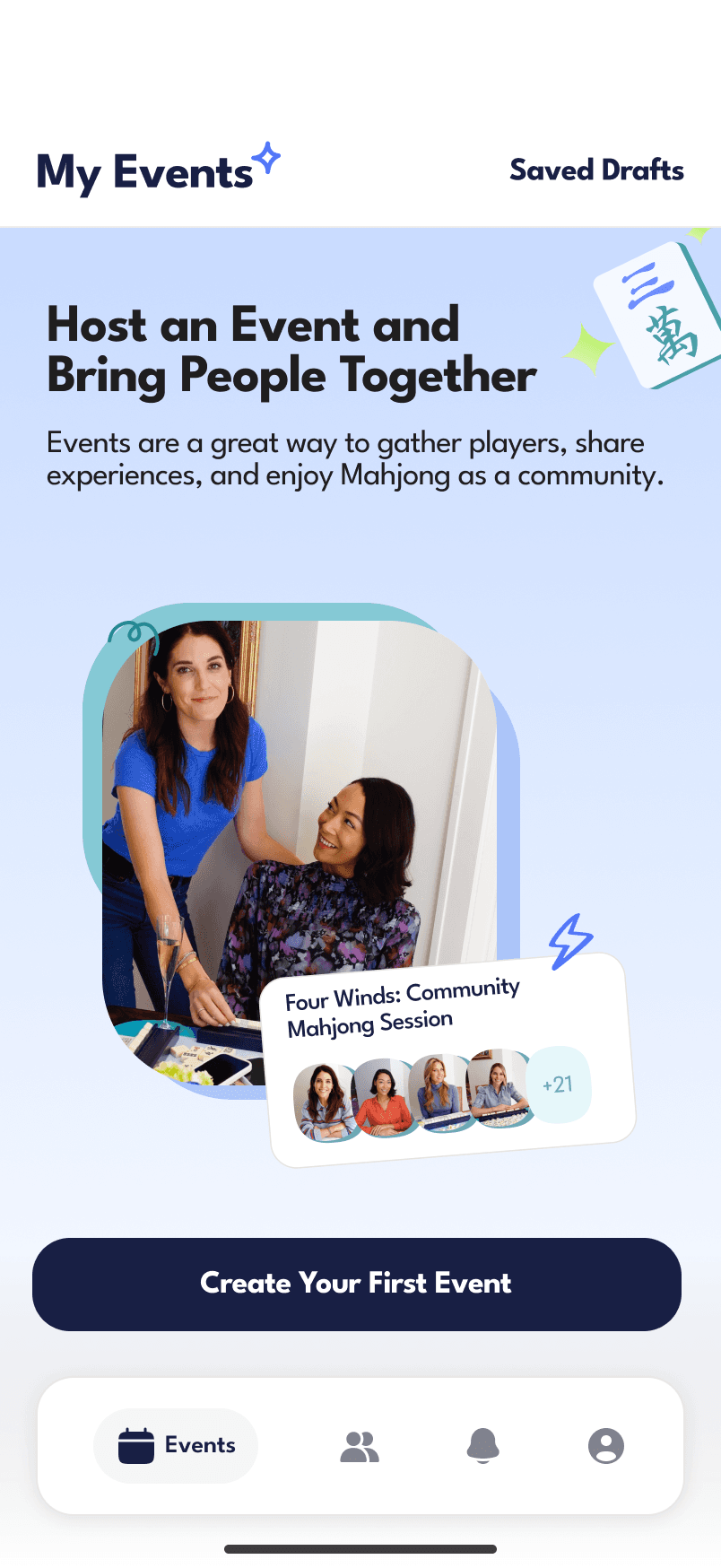
Go to My Events and tap Create New Event.
Step 2: Select Event Type
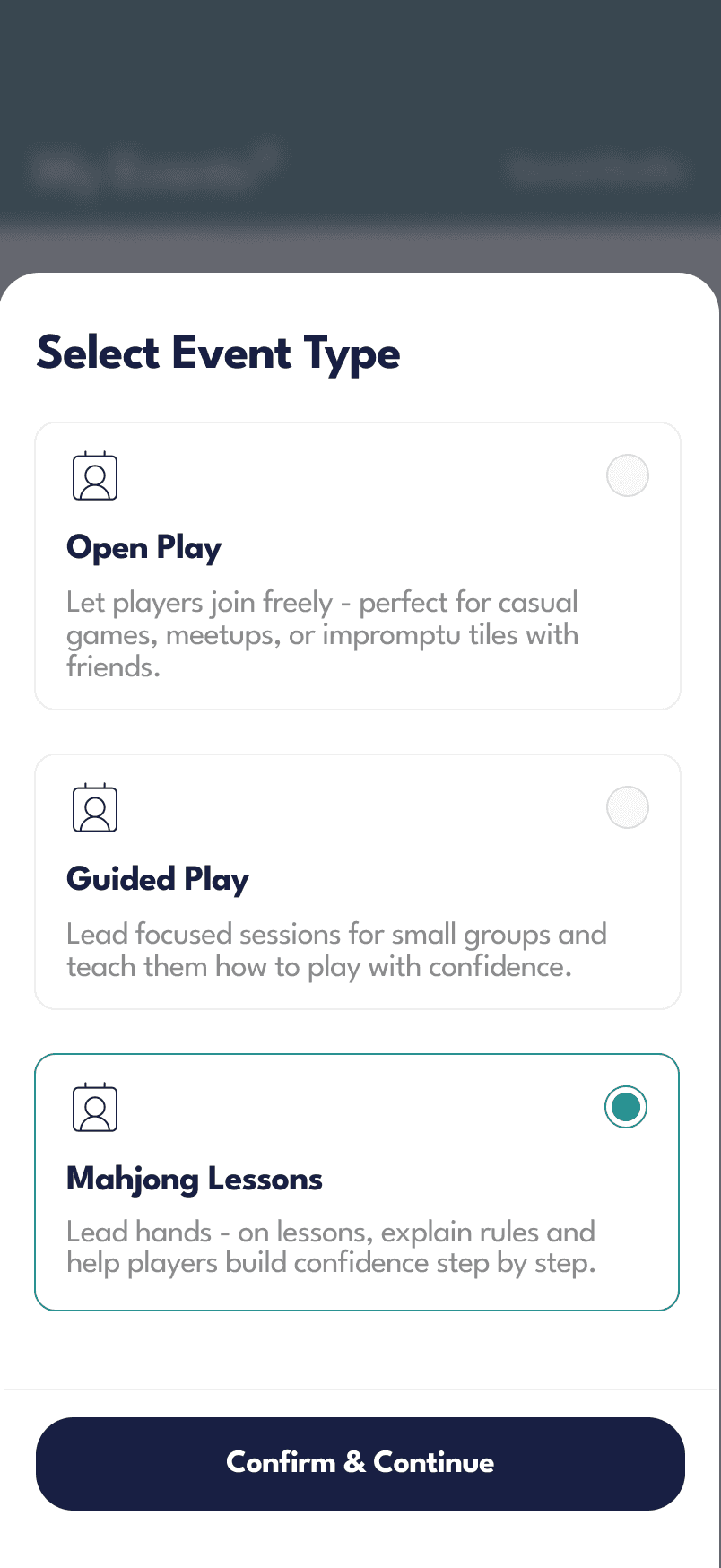
Choose the type of event you want to host:
Open Play
Casual sessions where players can join freelyGuided Play
Lead structured sessions for small groupsMahjong Lessons
Teach rules and help players learn step by stepMahjong League
Organize recurring competitive sessions
Tap Continue after selecting your event type.
Step 3: Add Event Details
Fill in the basics:
Event Name
Date & Time
Location
Event Description
Event Image (optional)
Additional Settings
Depending on your setup, you can also configure:
Max players / tables
Private or public event
Allow invites or requests
Pricing (if it’s a paid event)
Mahjong-specific settings
Tap Save & Next when done.

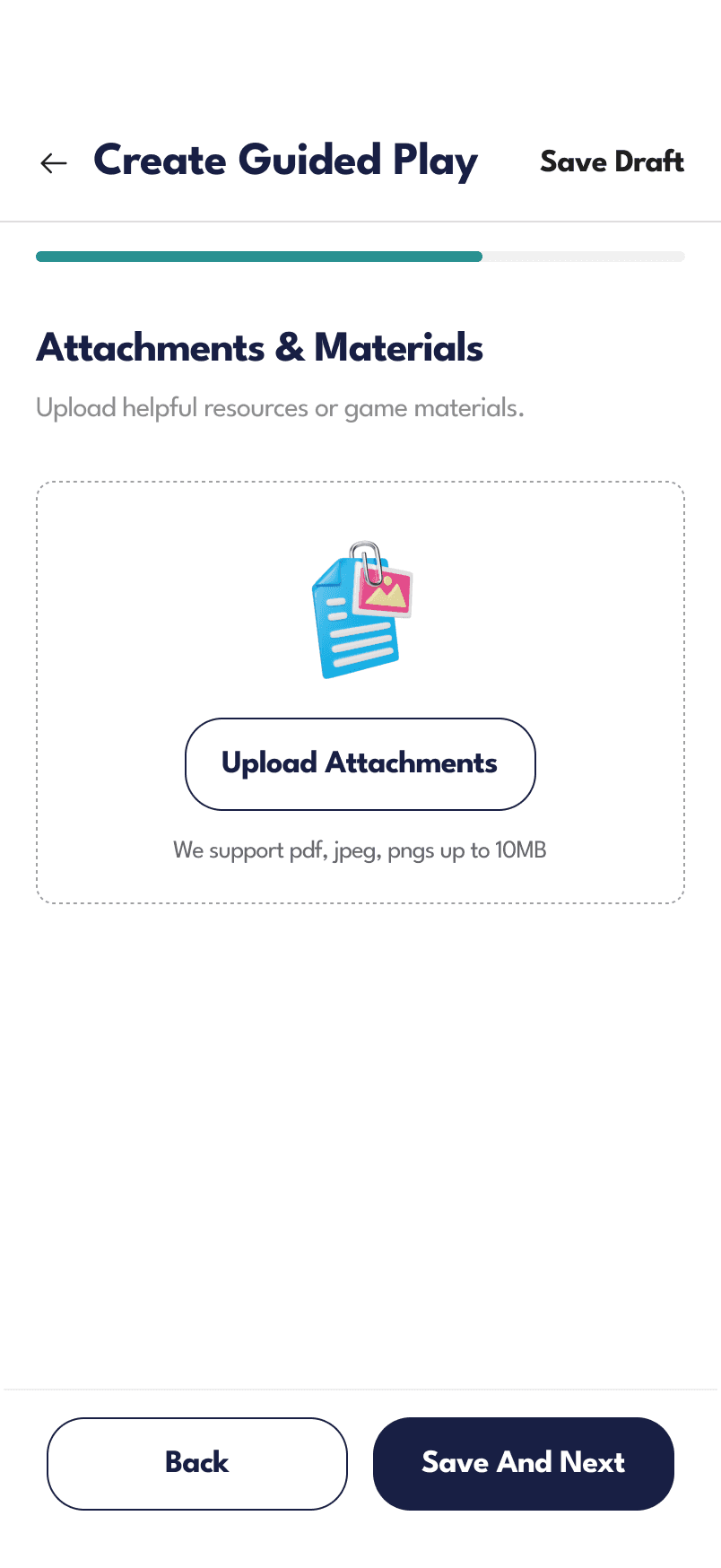
Step 4: Add Attachments (Optional)
Upload any helpful materials:
Rules
Reference guides
Event instructions
Tap Save & Next.
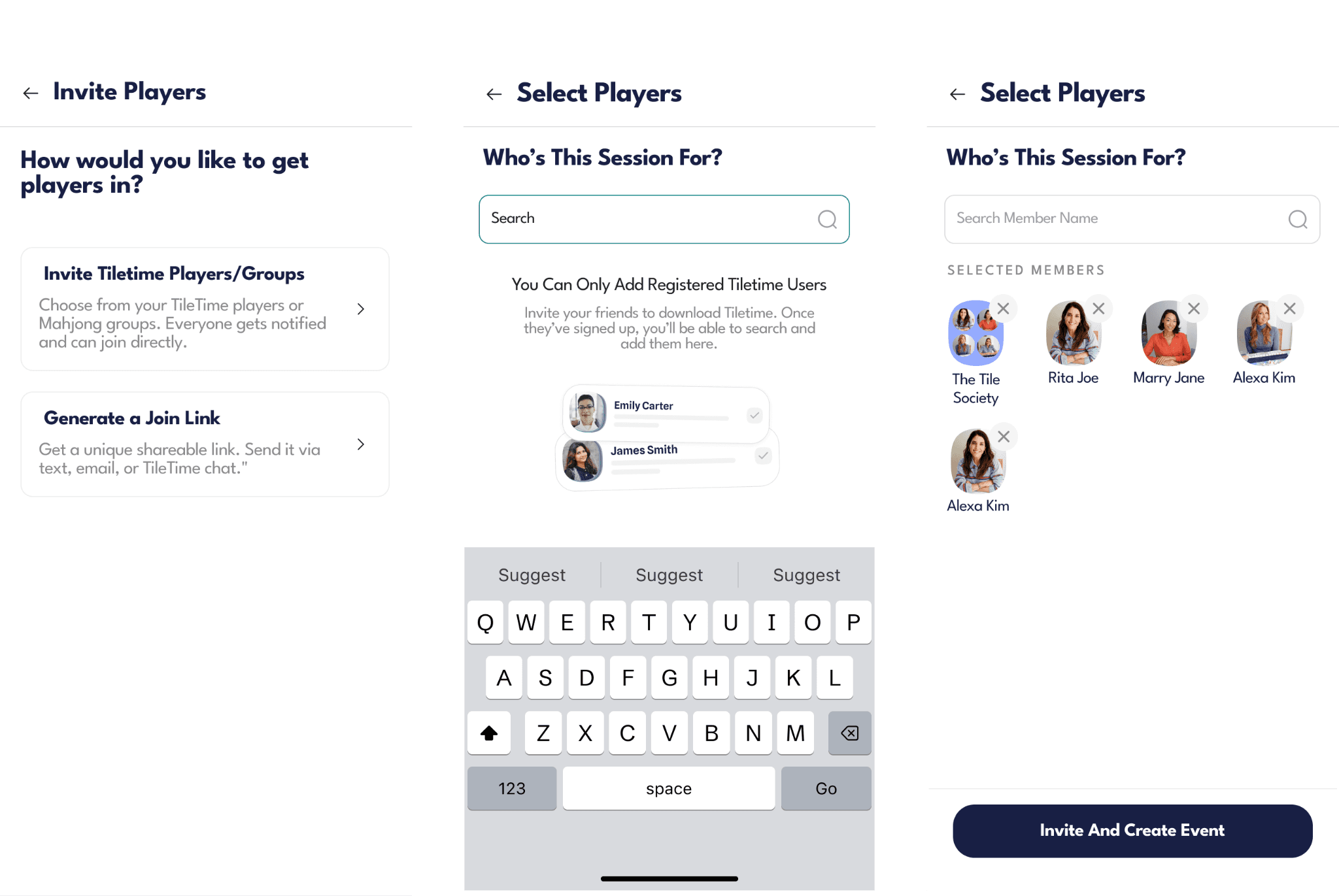
Step 5: Invite Players
You can invite players in two ways:
Invite via Phone / Contacts
Add players directly by entering their details.
Share Invite Link
Generate a join link and send it to players.
Tap Save & Continue.
Step 6: Select Players
Choose who will join your event:
Search and add TileTime users
Assign them to sessions or tables
Tap Confirm & Create Event.
Step 7: Review & Publish
Before publishing, you’ll see a summary:
Event details
Player list
Status of invitations
Once ready, your event will be created and shared with participants.
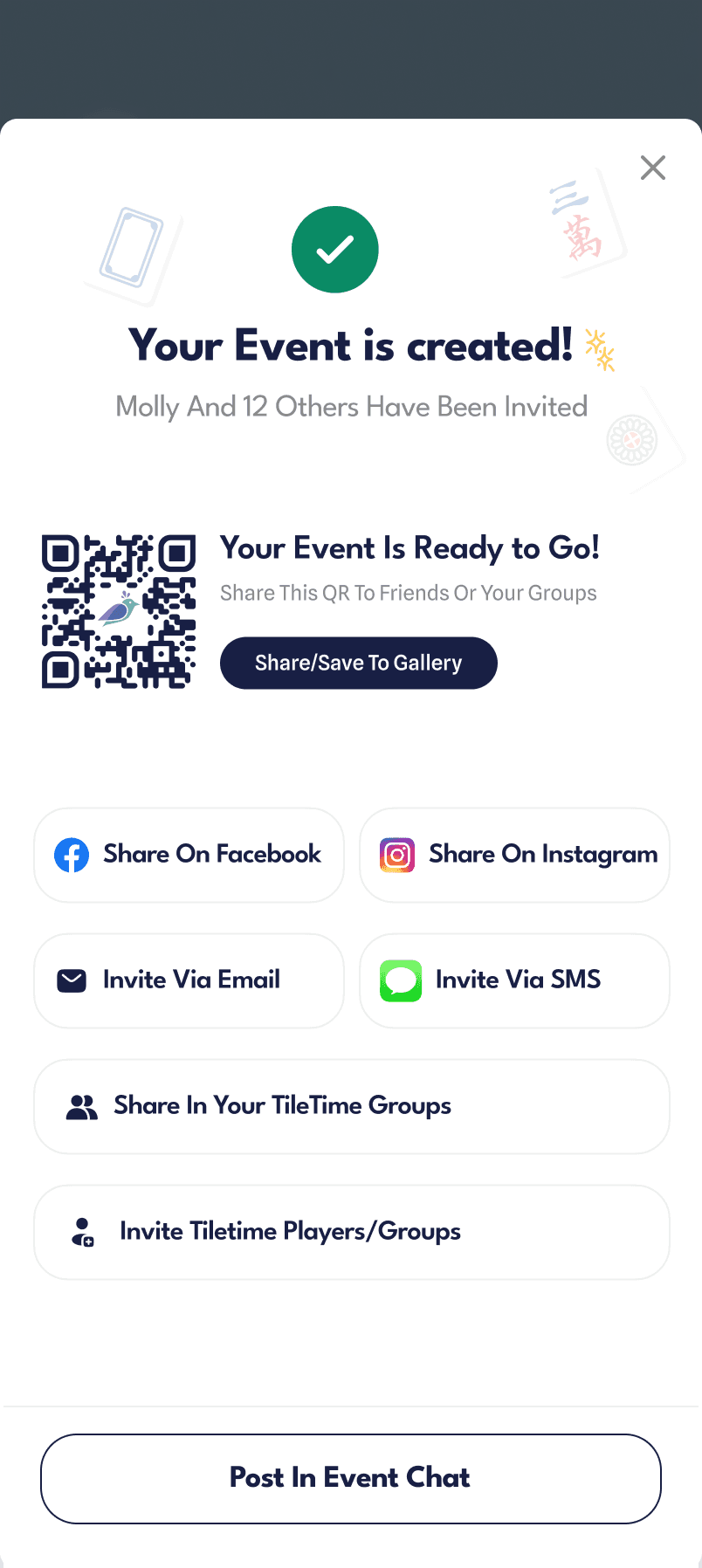
After Creating Your Event
You can now:
Share event details with players
Manage RSVPs and waitlists
Track attendance
Communicate via group chat
Tips
Use a clear event name and image to attract players
Set the right player limit to avoid overcrowding
Share invite links early to fill spots faster
Use attachments to help new players prepare
Common Questions
Can I edit my event later?
Yes, you can update event details anytime.
Can I make recurring events?
Yes, you can set events to repeat during setup.
Can I control who joins? Yes, you can keep events private or approve participants.